
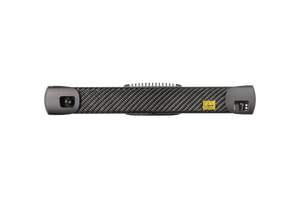
Photoneo MotionCam-3D L
Photoneo


Photoneo 3D Meshing is a software solution for fast and precise 3D model creation from multiple 3D scans or from a continuous stream of 3D data captured by Photoneo 3D sensors. Photoneo positions it for advanced 3D data acquisition across robotic guidance, quality inspection, and reverse engineering. It is supplied as two separate libraries, each with its own graphical interface.
Photoneo's own framing of the product is direct: no CAD, no problem. Create a 3D model of any object with professional industrial 3D vision, then transform it into a workable CAD model for your projects.
Does Bin Picking Studio 1.12 replace this? No. Bin Picking Studio 1.12 added in-app 3D model creation from a scan, and Photoneo describes it as ideal for structured or semi-structured applications where the object is consistently viewed from the same angle the model was created from. For fully random object orientations, Photoneo states they still recommend creating the 3D model using Photoneo 3D Meshing software. Randomly oriented parts in a bin are the case 3D Meshing remains built for.
Point cloud or mesh, and why the difference matters
The software delivers data as either a point cloud or a mesh. A point cloud is millions of high-density points stored together, and Photoneo notes it cannot be imported directly into CAD and 3D programs. A mesh represents the object as polygons describing its shape, which is the format 3D modeling tools actually accept. If your goal is a model you can use downstream, the mesh is the output you want.
The two libraries are not tiers of the same tool. They take different input, support different sensors, and align data by different methods. Choose by how the scan will be captured.
| 3D Meshing (Standard Library) | 3D Instant Meshing (Instant Library) | |
| Purpose | Creation of high-quality 3D models from scans taken from multiple perspectives | On-the-fly 3D model creation using a stream of 3D data from MotionCam-3D (Color) |
| Supported sensors | PhoXi 3D Scanner, MotionCam-3D (Color) | MotionCam-3D (Color) only |
| Source of data | Set of 3D scans taken from different perspectives | 3D point cloud stream from MotionCam-3D |
| Tracking and scan alignment | Scans must share one global coordinate system. Calibration is required either for each scan using a marker pattern, or only at initialization when using a rotary table with an encoder for positioning | Automatic tracking through camera movement estimation based on 3D features, with support for inputting camera position for hand-eye cases. Data aligns automatically and no global coordinate system is required |
| Pipeline | Sequential, with full control of the individual steps | Instant model creation |
| Typical deployment | Custom or manual with a marker pattern, or with an automatic rotary table | On a robotic arm, handheld, or a multiple sensor gantry |
Photoneo publishes separate user manuals for each library at photoneo.com/kb/p3dm and photoneo.com/kb/p3dim.
Photoneo describes the Standard library as an application for automatic mesh creation from scans acquired by Photoneo 3D sensors from multiple distinct perspectives. It provides both a graphical user interface and an API environment, and performs scan acquisition, point cloud alignment, filtering, and surface reconstruction as a one-click solution.
Because the pipeline is sequential with full control of individual steps, this is the library for work where model quality is the priority and the part can be brought to the sensor: reverse engineering a component with no available file, building an inspection reference, or generating a localization model for a picking cell.
Photoneo describes the Instant library as a UI and C++ library for real-time tracking and integration of 3D scans into triangular meshes, intended to be built into your own application. It creates models on the fly by combining meshing algorithms with the MotionCam-3D data stream, either by manually moving the sensor or by using multiple statically mounted cameras around a moving object.
Because alignment is automatic and no global coordinate system is required, this is the library for scanning objects too large or too awkward to fixture: vehicles, shipping containers, structures, and anything digitized by walking a sensor around it or carrying it on a robot arm.
No targets on the part. Photoneo notes that its sensors do not require sticking targets or markers onto the scanned object itself. Calibration in the Standard workflow uses a separate marker pattern in the scene, not adhesive targets on the part. That matters for finished surfaces, painted parts, and anything you cannot mark.
Photoneo publishes two recommended configurations. This is host PC software, so the machine matters.
| Configuration 1 | Configuration 2 | |
| RAM | 16 GB or better | 16 GB or better |
| Processor | Intel i7 or better, AMD Ryzen 1600 or better | Intel i7 gen 7 or AMD Ryzen 7 gen 1 or better |
| GPU | NVIDIA GTX 1060 or better | NVIDIA 2060 series or better with at least 6 GB VRAM |
| Operating system | Windows 10 64-bit | Windows 10 64-bit or Ubuntu 18.04 64-bit |
| Also recommended | SSD disk | NVIDIA driver 531.68 on Windows, 525.105.17 on Ubuntu |
Photoneo labels both blocks identically on its product page, so the mapping of configuration to library is not stated. Configuration 2 carries the higher GPU requirement and the Linux option. Contact Automation Distribution and we will confirm the correct target for your intended library before you spec a machine.
3D Meshing processes scan data. It does not capture it. A working setup needs a sensor, and depending on the library, a calibration target.
The information above is drawn from Photoneo's published documentation. This section is Automation Distribution's guidance, based on that documentation and our experience specifying these systems. It is not manufacturer specification.
What is Photoneo 3D Meshing?
Photoneo 3D Meshing is software for creating 3D models from scans captured by Photoneo 3D sensors. Photoneo describes it as a solution for fast and precise 3D model creation from multiple 3D scans or from a continuous stream of 3D data, aimed at robotic guidance, quality inspection, and reverse engineering. It ships as two libraries, Standard and Instant, each with its own graphical interface.
Can I create a CAD model without a CAD file?
That is the product's stated purpose. Photoneo positions 3D Meshing with the line "No CAD? No Problem," and states you can create a 3D model of any object and afterward transform it into a workable CAD model ready for your projects. The input is a scan of a physical sample.
What is the difference between the Standard and Instant libraries?
Standard builds high-quality models from a set of scans taken from multiple perspectives, works with the PhoXi 3D Scanner or MotionCam-3D, and runs a sequential pipeline where you control each step. It requires all scans to share one global coordinate system, calibrated either per scan with a marker pattern or once at initialization when using a rotary table with an encoder. Instant builds models on the fly from a MotionCam-3D point cloud stream, tracks camera movement automatically from 3D features, needs no global coordinate system, and is supplied as a UI plus C++ library for integration into your own application.
Which sensor do I need?
The Standard library supports the PhoXi 3D Scanner and MotionCam-3D or MotionCam-3D Color. The Instant library supports MotionCam-3D and MotionCam-3D Color only, because it works from a continuous point cloud stream that a static scanner does not produce.
Do I need to put markers or targets on the object I am scanning?
No. Photoneo notes that its sensors do not require sticking targets over scanned objects. In the Standard workflow, calibration uses a separate marker pattern placed in the scene rather than adhesive targets on the part itself.
Does it output a point cloud or a mesh?
Both. Photoneo notes the practical difference: a point cloud is millions of high-density points and cannot be imported directly into CAD and 3D programs, while a mesh describes the object as polygons and is the format 3D modeling software accepts.
How is the software licensed?
Photoneo uses Sentinel licensing, installed automatically with the software. Running it requires a USB Sentinel dongle connected to the machine at all times, or a valid trial license. Because the Sentinel component generates the fingerprint file a license request needs, the software has to be installed before a license can be requested.
Can it be used with a rotary table?
Yes. In the Standard workflow, using a rotary table with an encoder for positioning means calibration is required only once at initialization rather than for every scan, which removes the per-scan marker pattern step.
Not sure which library your application needs?
Tell us the object size, the material, whether it can be moved to a fixed sensor, and the smallest feature that has to survive into the model. We will confirm the library, the sensor and wavelength, and the calibration hardware before you order. Automation Distribution is an authorized Photoneo and Zebra Technologies distributor, and our sister company MDCI Automation builds and integrates complete vision-guided cells.
Call 1-888-600-3080 or contact our applications team. Browse the full Photoneo line and our machine vision catalog.
Product information on this page is taken from Photoneo published product documentation and user manuals. Current manuals are available at photoneo.com/kb/p3dm and photoneo.com/kb/p3dim. Specifications are subject to change by the manufacturer.
Photoneo
Photoneo

Photoneo

Photoneo