
Posted by Automation Distribution Staff on Jul 23rd 2026
Remote I/O Compatibility: Why Your Module List Depends on the Controller
A remote I/O module that physically seats on the backplane is not automatically a module your engineering software will configure. That gap between mechanical fit and software support is where machine builds lose a day, and it is getting wider as controller platforms multiply faster than the I/O families that serve them.
Why does remote I/O compatibility depend on the controller?
Because compatibility is decided at three separate layers, and all three have to agree before the node comes up. Most specification errors happen when an engineer confirms one layer and assumes the other two.
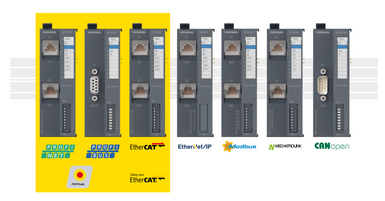
The first layer is the fieldbus protocol. Your controller speaks EtherCAT, PROFINET, EtherNet/IP, Modbus TCP, PROFIBUS-DP, or something else, and that fixes which bus coupler or interface module you order. This layer is well understood and rarely causes trouble, because it is visible on every datasheet.
The second layer is hardware configuration support. Your engineering software carries a device catalog, and that catalog is a subset of the modules the manufacturer produces. A slice can be electrically and mechanically valid on the backplane and still be absent from the configuration tool, which means you cannot address it, parameterize it, or map it into the process image. This layer causes most of the surprises.
The third layer is version pairing. Engineering software revisions are tied to controller firmware revisions, and a mismatch can pull modules out of the supported set that were supported last month. This layer causes the surprises that arrive long after commissioning, when someone updates software on a machine that has been running fine for two years.
What Yaskawa's SLIO catalog split tells you
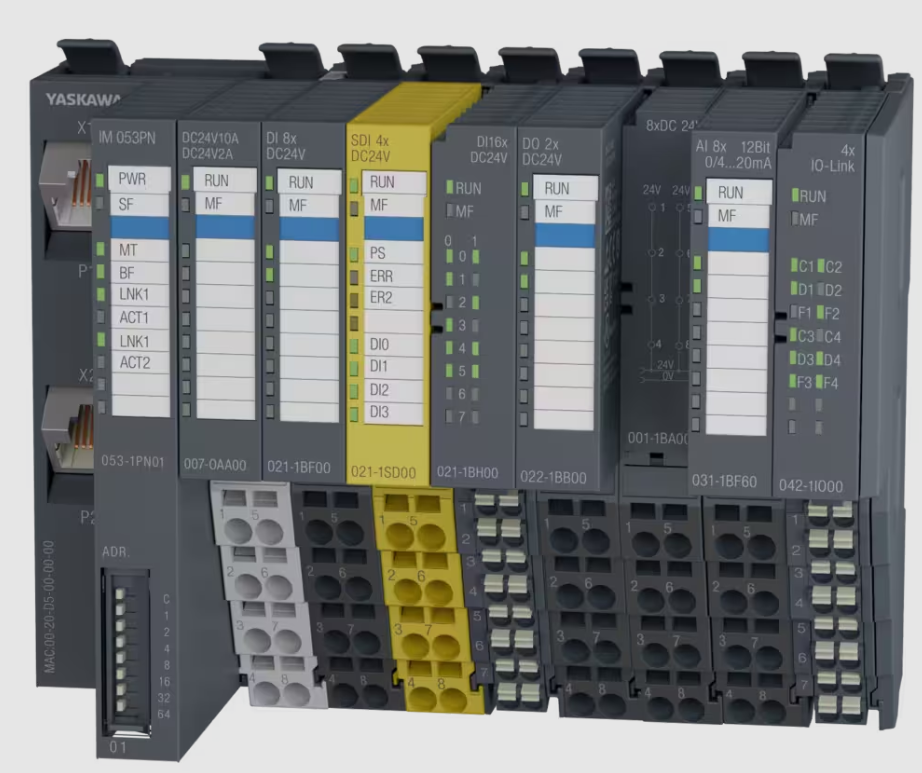
Yaskawa now publishes the SLIO module catalog as two separate lists: SLIO Modules - iCube, for iC9200 series controllers, and SLIO Modules - MotionWorks IEC, for the MPiec series. Same physical module family, same 12.9 mm slice on 35 mm DIN rail, same 48 Mbit/s backplane. Two different supported sets.
Both lists carry the same caveat in Yaskawa's own language: not all modules are supported by the hardware configuration tool. That is a manufacturer telling you, plainly, that the catalog is larger than the configurable set on any given platform.
The practical read
A published module list scoped to a specific controller platform is a better artifact than a single undifferentiated catalog. It costs you the illusion that everything works with everything, and it saves you the commissioning day where you find out it does not. Treat the platform-scoped list as the authority and the general catalog as reference.
The version pairing that catches people
Engineering software and controller firmware ship on linked release trains. The current iCube Engineer release, version 2025.6.3, delivers performance enhancements for users on 2025.6 and is intended for use with iC9226M-EC and iC9226M-FSoE firmware version 2025.6.2. Those two version strings are not decoration. They define a tested pairing.
This pattern is not unique to Yaskawa. Every major platform does it. What varies is how loudly the pairing is stated and how gracefully the tools fail when it is violated. Sometimes you get a clear incompatibility warning at project open. Sometimes you get a module that configures but behaves differently at runtime, which is a far worse outcome because it passes bench testing.
Keep a revision record with the electrical drawings
The fix is unglamorous and it works. At commissioning, write down five things and file them with the prints:
- Controller model and firmware version
- Engineering software version and the project file version it was saved under
- Bus coupler part number and firmware version
- Every I/O module part number in rack order, including the terminal and electronic module pairing where the system uses two-piece construction
- Device description file versions in use - ESI for EtherCAT, GSDML for PROFINET, EDS for EtherNet/IP
Two years later, when a maintenance tech needs to replace a failed slice and the only spare on the shelf is a newer revision, that record is the difference between a twenty-minute swap and an afternoon of guessing.
Where remote I/O builds actually go wrong
Compatibility gets the attention, but three other failure modes show up just as often on the phone.
The power module gets left off the bill of materials
Backplane logic power and field power are separate budgets. When SLIO modules are used with an iC9200, the 007-1AB00 power module, DC 24V 10A, must always be mounted, because the CPU does not provide a power section supply for the periphery modules. A 007-1AB10 at 4A covers lighter racks. Neither is optional, and a rack built without one will assemble cleanly and then fail to energize the field side.
Safety I/O gets ordered before the safety master is confirmed
Safe I/O only works if something on the network is certified to act as a safety master, and that is a hardware decision made at controller selection. The 021-1SD10 safety input module carries four safe digital inputs over FSoE and needs a controller acting as a FailSafe over EtherCAT master - on the Yaskawa side, that is the iC9226M-FSoE variant rather than the standard iC9226M-EC. No firmware update converts one into the other. The same logic holds across protocols: PROFIsafe needs a PROFIsafe-capable master, CIP Safety needs a CIP Safety master. Ordering safe modules against a standard controller is a hardware mistake, not a configuration one.
Spare capacity gets optimized out
Adding a slice during the build costs the module. Adding one after the panel is wired and the process image is mapped costs re-addressing, re-documentation, and a validation pass. Budget 15 to 20 percent spare points per node and the first change order pays for it.
SLIO modules available through Automation Distribution
SLIO part numbers lead with a three-digit family code, so the prefix tells you the module class before you read the description.
| Prefix | Class | Part numbers |
| 001 | Potential distribution | 001-1BA00, 001-1BA10, 001-1BA20 |
| 007 | Power modules | 007-1AB00, 007-1AB10, 007-0AA00 |
| 021 | Digital input | 021-1BD00 (4x), 021-1BF00 (8x), 021-1SD10 (safe, FSoE) |
| 022 | Digital output | 022-1BD00 (4x 0.5A), 022-1BD20 (4x 2A), 022-1BD50 (4x low-side), 022-1BF00 (8x), 022-1BB90 (PWM) |
| 031 | Analog input | 031-1BB30, 031-1BF60, 031-1BF74 |
| 032 | Analog output | 032-1BB30, 032-1BD40, 032-1BD70 |
| 053 | Bus couplers | 053-1MT00 (Modbus TCP), 053-1IP01 (EtherNet/IP), 053-1DP00 (PROFIBUS-DP), 053-1CA00 (CANopen) |
On an iC9200 machine controller, SLIO modules mount directly to the right side of the CPU over the SliceBus, so no coupler is needed for local expansion. The 053 series comes in when you are placing a rack at a remote location on a fieldbus.
Frequently asked questions
How do I know if a remote I/O module is supported by my controller?
Check the module list published for your specific controller platform and engineering software version, not the general product catalog. Manufacturers increasingly publish platform-scoped lists precisely because the configurable set is narrower than the produced set. If the module does not appear in your software's device catalog, it is not usable on that platform regardless of physical fit.
Why does engineering software specify a required firmware version?
Because the software and the controller firmware are validated together as a pair. iCube Engineer 2025.6.3, for example, is intended for use with iC9226M-EC and iC9226M-FSoE firmware version 2025.6.2. Running a pairing that was not tested together can produce configuration failures, or worse, modules that configure normally but behave differently at runtime.
Can I mix remote I/O brands with my controller?
Usually yes at the protocol level, provided the coupler speaks a supported fieldbus and you have the correct device description file. What you give up is integrated hardware configuration, unified diagnostics, and vendor-tested behavior. For safety I/O the bar is higher: the safety master and the safe device must be certified for the same safety protocol. Browse the remote I/O catalog to compare options by protocol.
Do SLIO modules need a separate power module?
Yes. When System SLIO modules are used with an iC9200 CPU, the 007-1AB00 DC 24V 10A power module is required, because the CPU does not supply the power section for periphery modules. Additional power modules may be needed further along the rack depending on module count and current draw.
What should go in a machine revision record?
Controller model and firmware, engineering software version, coupler part number and firmware, every I/O module part number in rack order, and the device description file versions in use. File it with the electrical drawings rather than in an engineer's project folder, so it survives staff turnover.
Specifying a remote I/O node
Automation Distribution is an authorized distributor of Yaskawa, WAGO, Turck, and SMC. Send us your controller model, engineering software version, fieldbus, and point count, and we will return a module list that includes the power module, the coupler, the end cover, and the compatibility caveats for your specific platform. Browse the full remote I/O selection or the Yaskawa SLIO catalog, or call 1-888-600-3080 to talk through the application.